
Infrastructure that lasts a decade: Cat6A, fibre, PoE++ and Wi-Fi 7
Cameras, readers and access points all depend on infrastructure. What to install today so you will not be opening walls again in five years.
November 2026 · 4 min read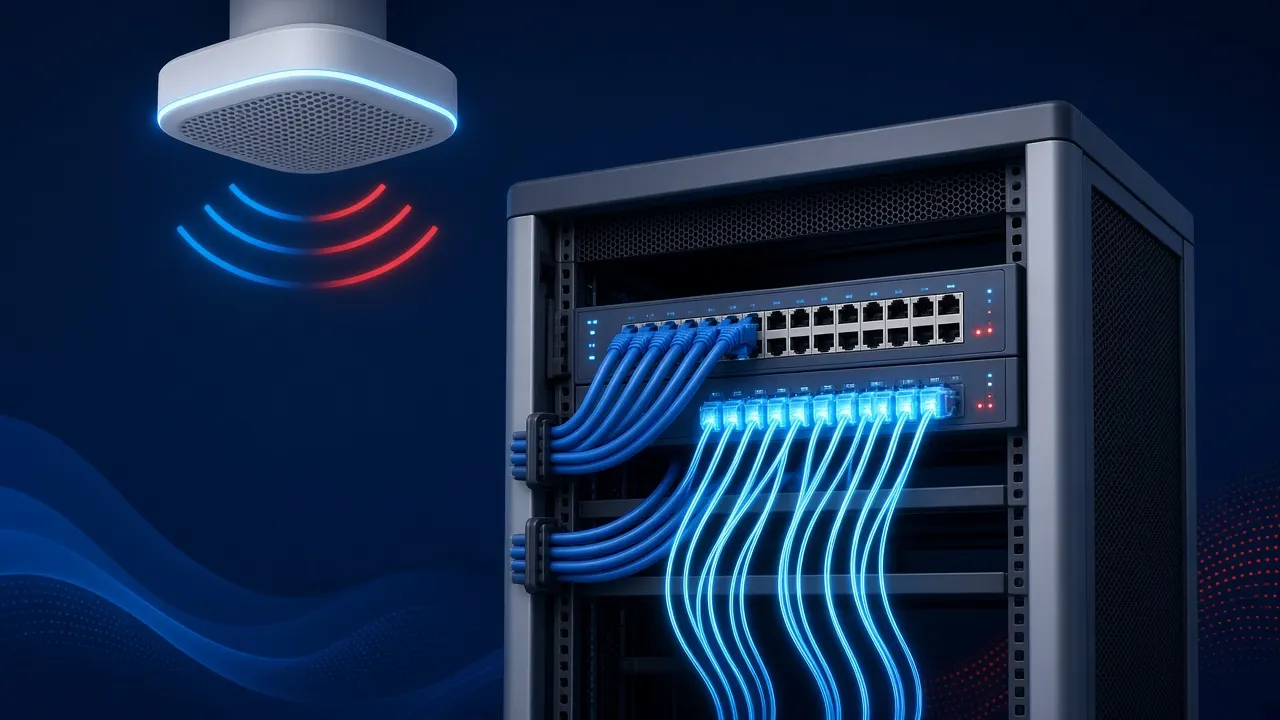
Almost every modern low-voltage system (cameras, access control, intercom, Wi-Fi access points and even lighting) runs on a network. That makes the physical infrastructure the longest-lived investment in a project: equipment is replaced every few years, but the cables inside walls and ceilings should serve for many years.
Cat6A as the default choice
Cat6A cable supports 10 gigabits per second over a channel of up to 100 metres, at frequencies up to 500MHz. The difference from Cat6 is not only speed: Cat6A copes better with heat in cable bundles carrying high PoE power, and with crosstalk between cables. Advanced access points already come with ports faster than 1 gigabit, so in a new project Cat6A is usually the recommendation.
PoE++: more power over the same cable
IEEE 802.3bt (known as PoE++ or 4PPoE) delivers up to about 90 watts at the source (about 71 watts at the device), compared with 30 watts for PoE+. This lets you power PTZ cameras with heaters and illuminators, intercom stations with screens, powerful access points and even LED lighting over the network cable. Design must account for the switches' power budget, UPS backup and heating in cable bundles.
Fibre in the backbone
Between floors, between buildings and over distances beyond 100 metres, optical fibre is the solution: very high bandwidth, immunity to electrical interference and galvanic isolation between buildings. In logistics sites and campuses, single-mode fibre provides flexibility for the future. Splicing, testing and documentation, including loss measurements, must be done properly.
Wi-Fi 7
Wi-Fi 7 (IEEE 802.11be) brings wide channels of up to 320MHz in the 6GHz band, multi-link operation (MLO) and higher-order modulation. In practice it allows higher throughput and lower latency in dense offices. To benefit, you also need supporting client devices, professional coverage design and suitable wired infrastructure to the access points. Use of the 6GHz band should be checked against local regulation in Israel.
Planning and organisation
- Communications cabinets with ventilation, room to grow and clear numbering.
- Labelling of every outlet and port, and documentation on drawings.
- Logical separation (VLANs) between cameras, access control, staff and guests.
- Power backup for switches that feed security systems.
- Certification testing of cabling, not just a "continuity test".
Service for chains
In a chain with many branches, uniform infrastructure (the same cabinet type, the same labelling method, the same network structure) greatly shortens fault-finding and lets any technician understand any branch.
Example: a switch power budget
A 24-port switch may look sufficient, but the question is how many watts it supplies in total. Connect ten simple cameras, a few cameras with heaters and illuminators, two intercom stations and several access points, and the total may exceed the switch's PoE budget. Some devices will then fail to power up or will reset. So calculate the required power in advance, leave a margin, and also work out the UPS runtime needed.
Copper versus fibre compared
- Distance: copper up to 100 metres per channel; fibre hundreds of metres to kilometres.
- Power: copper can carry PoE; fibre cannot.
- Interference: fibre is immune to electrical interference and lightning between buildings.
- Installation: copper is simpler to terminate; fibre needs splicing and test equipment.
Certification, not just "it connects"
A simple continuity test checks the wires are connected correctly, but not that the cable meets its category's performance. A certification test with a dedicated instrument measures parameters such as attenuation and crosstalk and produces a report for every point. That report is an important part of the documentation the client receives.
Common mistakes
- Data cables run alongside power cables over long distances.
- Sharp bends or over-tightened bundles.
- A cabinet without ventilation or room to grow.
- No labelling, which doubles fault-finding time.
Planning for the future: how many points
A common rule in projects is to install more points than needed today: spare ceiling points for future access points and cameras, empty conduit between cabinets and floors, and spare cabinet space. An extra cable during installation costs very little compared with reopening ceilings in a live branch. For chains, include spare points in the branch standard.
Wi-Fi versus cable for security systems
Cameras and door controllers are best connected by cable rather than Wi-Fi where possible: wired is more stable, carries PoE, and is less sensitive to interference and jamming. Wi-Fi suits staff, guests and mobile devices, and in special cases a temporary camera or a location where cabling is impossible. Dedicated wireless bridges also exist for linking buildings where fibre is not possible.
Documentation: what exactly you should receive
At the end of an infrastructure project the client should receive a drawing with every point's location and number, a table linking each point to its patch-panel and switch port, test reports for every point, and active-equipment details: models, addresses and managed passwords. In a chain, a uniform documentation template lets any technician quickly understand any site, even one they have never visited.
Summary
Good infrastructure is almost invisible: when it is designed properly, you add a camera or access point without a new project. The extra investment in Cat6A, fibre and documentation is small compared with the cost of reopening infrastructure later.
Want to check what fits your site?
Leave your details and we will get back to you to arrange a survey and quote.
Sources
Articles provide general information only and are not legal, engineering or safety advice. Regulatory requirements change; check the current text with the competent authority.
Related articles
System convergence: PSIM, smart buildings and one control room for everything
Cameras, alarms, access control, fire detection and building systems: how to bring everything into one picture, and what to watch out for.
November 2026 · 4 min read
Guide: cameras for a retail chain, from the first branch to dozens of sites
How to plan a uniform camera system for a chain: a branch standard, central management, rollout schedules and ongoing service.
November 2026 · 4 min read
OT cyber security for low-voltage systems: the network behind cameras and controllers
Security and building systems are part of the OT world. IEC 62443 principles, network separation, remote access management and secure maintenance.
November 2026 · 4 min read